QR Code Ordering (for Restaurants)

Guests scan the table QR code, browse a stunning visual menu, and place orders straight to your kitchen — no app download, no waiting, no waiter needed during rush hours.

StayNexa QR Ordering — customer browsing digital menu on smartphone
📲 For Customers & Guests

Scan. Browse. Order. No App.

Every table gets its own printed QR code. Guests point their phone camera at it — the full digital menu opens instantly in the browser. No download, no login, no friction. They browse photos, customize dishes, and tap to order.

Works on any smartphone: iPhone, Android — any browser. No app store visit needed.
Higher average bill: High-res food photos and suggested add-ons encourage guests to order complementary items.
Live order tracker: Guests see status updates — Order Received → Chef is Cooking → Food is Ready.

How QR Ordering Works

From scan to served — every step happens automatically.

1

Guest Scans Table QR Code

The guest points their phone camera at the QR code on the table. The digital menu opens instantly in their browser — no app download required.

2

Browses the Digital Menu

A beautifully designed menu with high-quality dish photos, descriptions, allergen labels (Veg 🟢, Non-Veg 🔴, Spicy 🌶️, Chef's Special ⭐), and prices loads on their phone.

3

Customizes & Adds to Cart

Guests choose portion size, add extras (cheese, dips, sides), write cooking instructions ("Less oil", "No garlic"), and tap "Add to Cart".

4

Places the Order

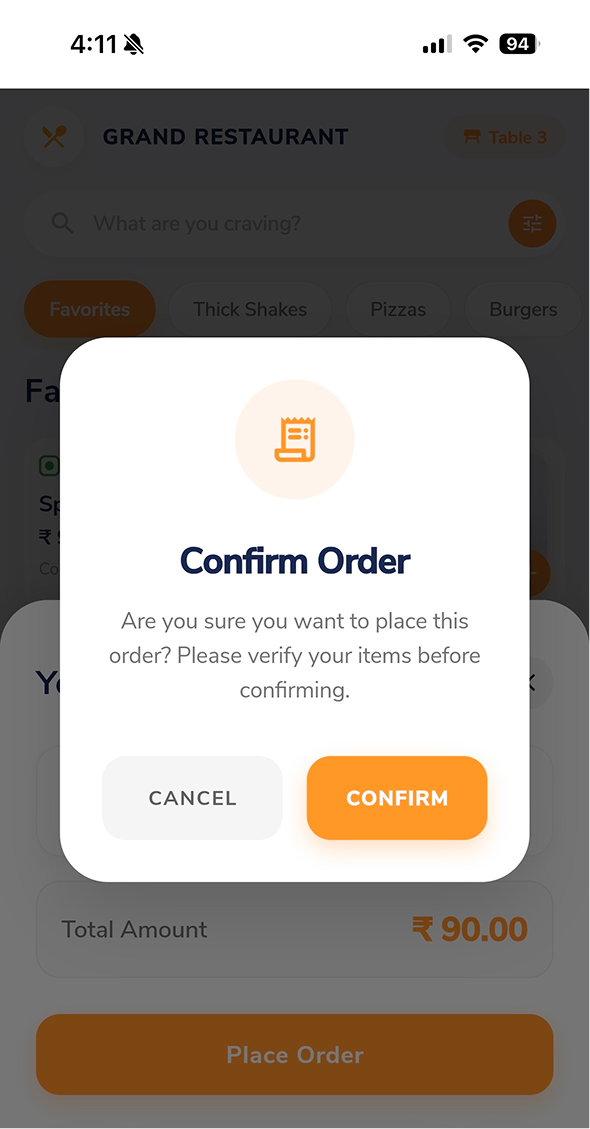
One tap on "Place Order" sends the order straight to the Kitchen Display Screen and the cashier's billing counter. GST is calculated automatically.

5

Tracks Live Status

The guest's phone shows a live progress bar: Order Received → Chef is Cooking → Food is Ready → Served at Table. They can add more items anytime.

QR Ordering Features

Auto-Generated QR Codes

The system creates print-ready, branded QR codes for every table automatically. No design skills needed.

High-Res Dish Photos

Upload multiple photos per dish. Visual menus consistently drive higher order values than text-only menus.

Customization & Add-ons

Guests choose portion sizes, spice levels, burger toppings, crust types — with live price updates in the cart.

Guest Name & Mobile

Guests optionally enter their name and mobile number at checkout, creating a customer record for loyalty offers.

Instant Kitchen Sync

Orders go directly to the Kitchen Display Screen in real time — no waiter relay needed, no missed items.

Re-order on Same Bill

Guests can reopen the QR menu mid-meal and add drinks or desserts to the existing table bill — no new ticket.

Let Your Guests Order Themselves

We set up your QR menus, table codes, and kitchen sync in a 20-min live walkthrough.

Book a Demo
Chat with us